Build
XTM One · Build: every page of this part of the documentation.
For
How-to guideCreate an agentBuild an XTM One AI agent end to end with the wizard - persona, guardrails, model, read-only OpenCTI tools, a knowledge base - then share it with a team and test it in the chat.XTM One29 minHow-to guideGive agents your documents with knowledge basesCreate a knowledge base, fill it with files or keep it in sync with a source, check what agents will find, lock it as ground truth, and bind it to agents.XTM One10 minHow-to guideWrite reusable promptsKeep the instructions your teams repeat in a prompt library, insert them in chat, attach them to agents, and track every change of their wording.XTM One6 minHow-to guideBrand the decks and reports agents produceGive the decks and reports your agents generate your brand, with a template of palettes, typefaces, logos and assets that every deck wearing it follows.XTM One11 minHow-to guideTeach agents a procedure with skillsPackage a method as a skill, from a URL, pasted text or a package, attach it to agents that load it when a task calls for it, keep it up to date, and duplicate one to adapt it.XTM One9 minHow-to guideGive agents built-in and custom toolsKnow the built-in tools an agent can use, then write a JavaScript or Python tool of your own, declare its tests, sync tools from a GitHub or GitLab repository, and give them to an agent.XTM One19 minHow-to guideConnect an MCP serverGive your AI agents the tools of another system through the Model Context Protocol, test the connection, and attach the server to an agent with only the tools it needs.XTM One12 minHow-to guideUse XTM One's own MCP servers from other clientsConnect Claude, Cursor, VS Code or Codex to the OpenCTI, OpenAEV and OpenCRQ registered with XTM One, or to XTM One itself, with your own identity and permissions.XTM One7 minHow-to guideConnect agents to your tools with integrationsConnect a service such as Jira, Slack or Microsoft 365 once, bind it to an agent with only the tools it needs, and share it without lending more than you intend.XTM One19 minHow-to guideLet agents sign in to web applicationsSave a web application and its sign-in as a browser profile, sign it in once, and let an agent's browser open it signed in without ever seeing the credentials.XTM One7 minHow-to guideStore values agents reuse in variablesKeep an address, a URL or a credential in one variable, reference it from personas, prompts, skills and custom tools, and know who it resolves for.XTM One7 minHow-to guideReach on-premise tools through a relayInstall a relay inside a network XTM One cannot reach, so that integrations and MCP servers call the services there without any inbound connection or VPN.XTM One8 minHow-to guideLet agents act on a computer with XTM One DesktopEnroll a workstation or a server as a runner, decide what agents may do on it, and give an agent the machines it may reach, for screenshots, commands, files and a signed-in browser.XTM One8 minHow-to guideShare agents and resourcesShare an agent, a knowledge base or a connection with people and groups at the right level, know what sharing lends with it, and read who can use what.XTM One9 min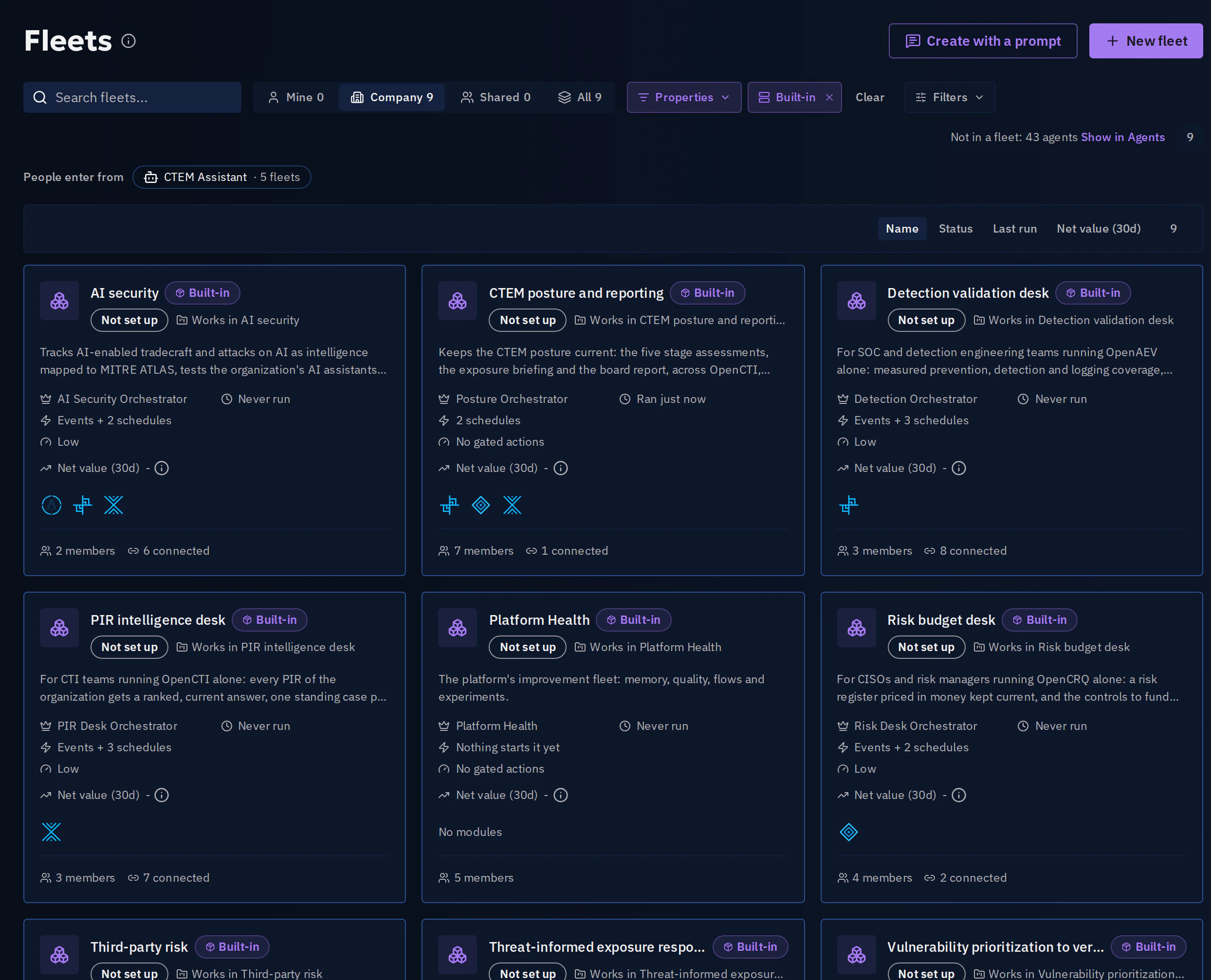
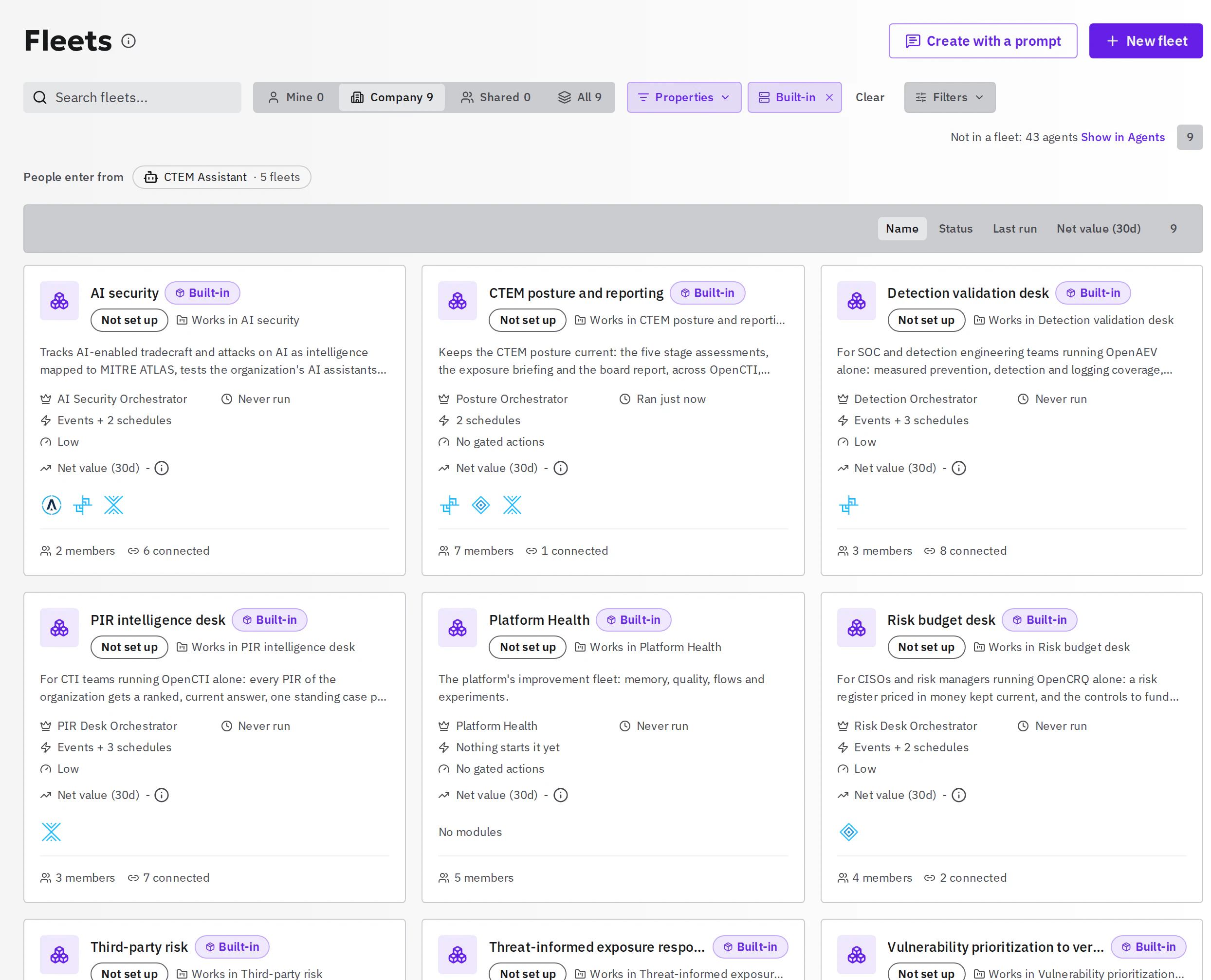 How-to guideRun agents as a team with fleetsGroup XTM One agents into a fleet that works in one workspace, read what it does on its page, switch its automations on or pause them, and choose which of its actions wait for a person.XTM One17 min