OpenAEV
Use OpenAEV to replay real attacks against your endpoints and your people, see what your defenses prevented, detected and answered, and follow that posture from run to run.
Replay the attacks that target you, and see what your defenses stop
OpenAEV plays a real attack, the one a threat group ran last month or the one your threat intelligence expects, against your own endpoints and your own people. An agent runs the attacker's commands, emails and fake press articles reach your teams, and your security tools report what they saw. Every action is scored: prevented, detected, answered in time. Run the same scenario every week and the scores show whether your defenses get better or worse.
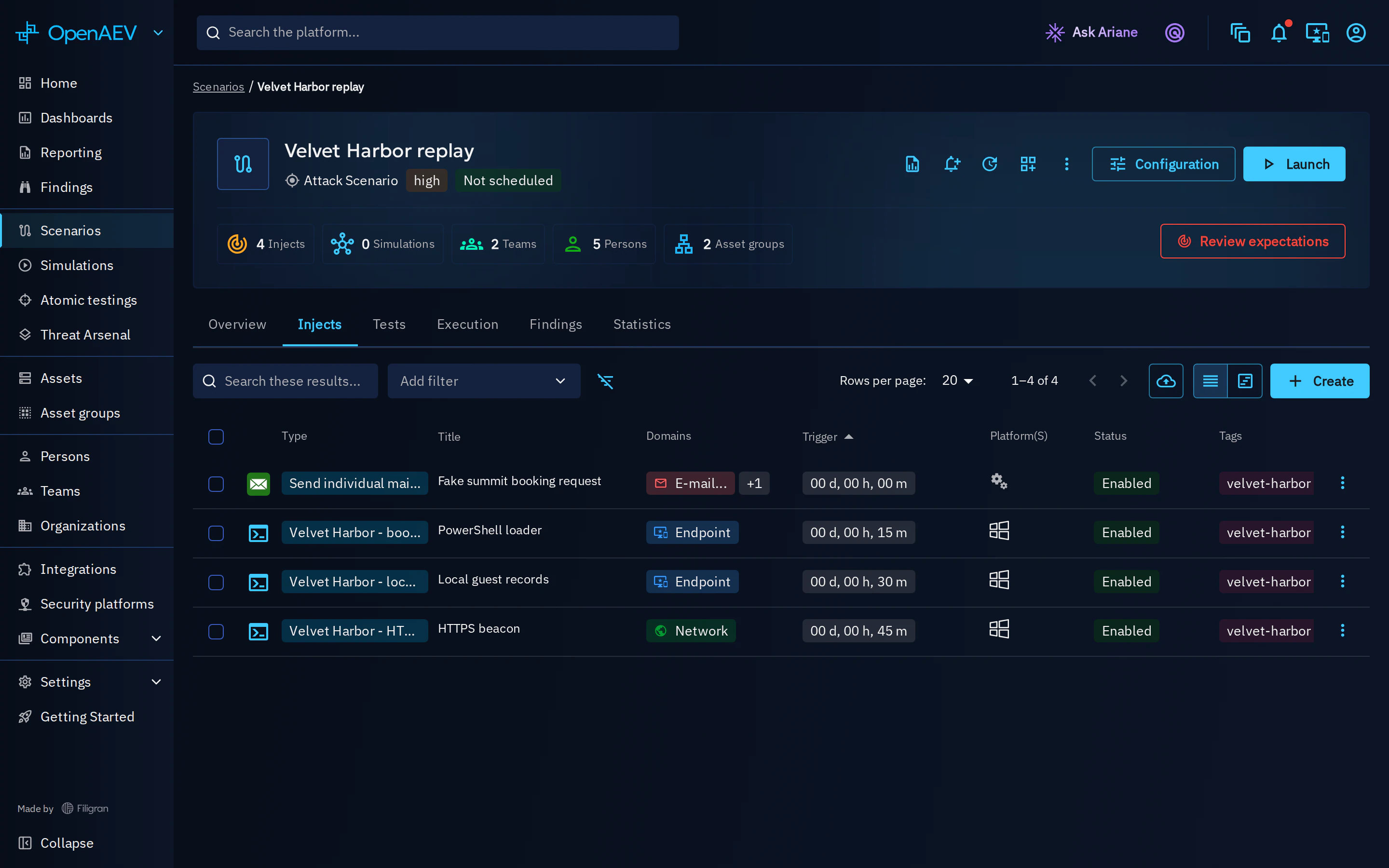
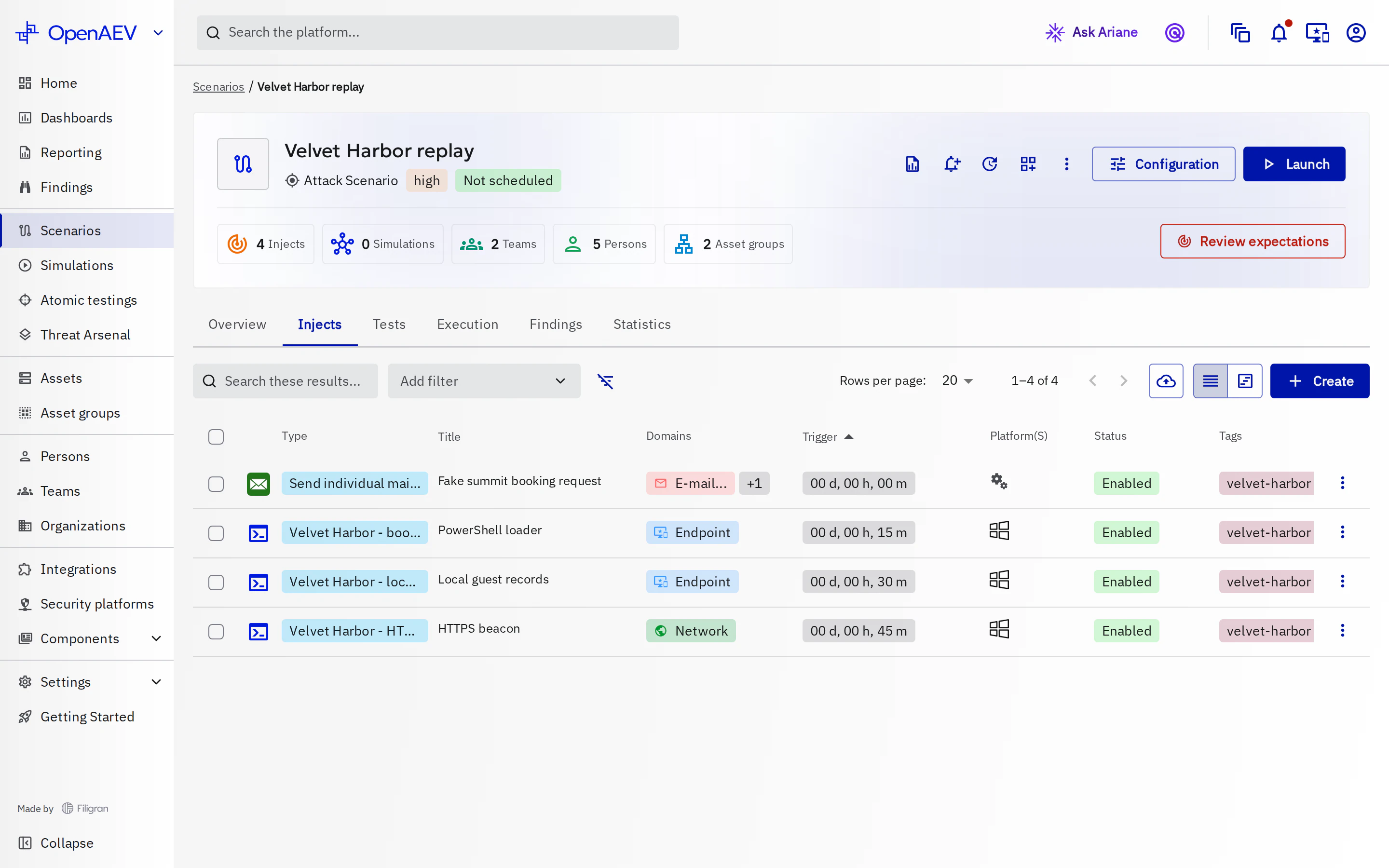
Start here
Pick your role: each tab gives your goal and the pages to read first, in order.
You test whether your security tools stop and see the techniques of the threats you face.
- How you validate your defenses in OpenAEV: the steps of a validation, from the first agent to the trend on the home dashboard.
- Install the OpenAEV agent on your endpoints: the agent that runs the attacker's commands on the hosts you test.
- Build a scenario that replays an attack: the injects, their timeline, their targets and their expectations.
- Run a simulation and read its results: launch the scenario and read what was prevented and detected.
- How collectors measure what your security tools saw: how an alert of your EDR or SIEM becomes a score.
You rehearse a crisis or a phishing campaign with the people who would live it.
- How a scenario becomes a simulation: one scenario written once, played as many times as you need.
- Organize the people your injects target: the players, their teams and their organizations.
- Publish fake press articles during an exercise: the media pressure a crisis cell faces.
- Give your players challenges to solve: questions scored as players answer them.
- How a phishing exercise works: the lure, the landing page and who opened, clicked and submitted.
- Collect lessons learned after an exercise: the questionnaire that closes the exercise.
You want to know whether your detection holds against the threats of the moment, and show it.
- How expectations score an inject: prevention, detection and human response, and how each is decided.
- Turn an OpenCTI security coverage into a scenario: test the threats your CTI team tracks.
- Build dashboards of your validation results: the trend of your scores over runs.
- Share simulation results in a report: a run summed up for the people who were not there.
You give people access, connect the security tools and set the platform up for your organization.
- How access works in OpenAEV: users, groups, roles and the grants on each scenario.
- Configure single sign-on: sign in with your identity provider.
- Choose between the OpenAEV agent and your EDR: run the attacks through CrowdStrike, Defender, SentinelOne and others (Enterprise Edition, except Caldera).
- Give each organization its own tenant: separate subsidiaries or customers on one platform.
You deploy the XTM platform, which always runs OpenAEV with the other modules, and keep OpenAEV healthy and up to date.
- How OpenAEV works: the platform, the agents, the collectors and the injectors, and what each one needs.
- Install with Docker Compose: the whole XTM platform, OpenAEV with every other module, behind your reverse proxy.
- Connect the modules to each other: OpenAEV with OpenCTI, OpenCRQ and XTM One.
- OpenAEV configuration: every key, its variable and its default.
Start from the starter pack
A new tenant is not empty. OpenAEV loads a starter pack into it, so you can launch a first simulation before you build anything:
| What | In the starter pack |
|---|---|
| Scenarios | Tabletop Exercise - Akira Ransomware Crisis, a crisis exercise by email; [SALT TYPHOON] CVE & TTPs validation, the techniques and vulnerabilities of an intrusion set, on endpoints; EASM Scenario, a discovery of internet-facing services |
| Assets | The agentless endpoint honey.scanme.sh, an internet host offered for scanner tests, which the EASM scenario scans; the dynamic asset group All endpoints, every endpoint of the tenant |
| Dashboards | Technical home, Technical scenario and Technical simulation, set as the tenant's defaults, and their Tabletop Exercice counterparts |
The first time you sign in from a browser, OpenAEV opens , at the bottom of the left menu. Its scenarios come from the starter pack: Try this scenario opens one, and Launch in its header runs it. Every inject of the starter pack that targets asset groups targets All endpoints, and those that take assets only target honey.scanme.sh. Before you launch a technical scenario, aim its injects at your own test endpoints, and replace honey.scanme.sh with your own internet-facing assets: a simulation plays real attacker behavior, and should reach production endpoints only once your security team has approved it.
The platform engineer can turn the starter pack off with openaev.starterpack.enabled: see the configuration reference.
How a validation runs
You describe once what you test and what the attacker can do: the assets and agents, the people and their teams, the actions of the Threat Arsenal. A scenario chains those actions on a timeline, each with the result you expect from your defenses. Each launch is a simulation, scored action by action, and the scores of every run build the trend of your posture.
- Targets → Scenario: targeted by
- Threat Arsenal → Scenario: injects
- Scenario → Simulation: launch
- Threat Arsenal → Atomic test: test alone
- Simulation → Expectations: scored
- Atomic test → Expectations: scored
- Expectations → Dashboards: aggregated
How you validate your defenses in OpenAEV gives the page that covers each step, and How an attack becomes injects and expectations explains the scoring.
Rehearse a crisis with your people
The same scenarios reach people instead of endpoints: emails to the crisis cell, articles in a fake newspaper, documents to read, challenges to solve. Players answer from their own mailbox and from the player interface, and each reaction you expect is scored like a detection. A phishing campaign works the same way, with a lure, a landing page and the results of each person; the media pressure of an exercise is its press articles and its media outlets.
Let the attack find its own path
A chained scenario does not follow a fixed timeline: each action reads what the previous one found, such as a user name, a host or an open port, and the next one aims at it. You set the targets it may reach and the limits it must keep, and the attack path map shows how far it got. With XTM One, an agent can choose the next action itself and run an autonomous penetration test. Chained scenarios are part of the Enterprise Edition.
- Allow and deny lists → Action: first targets
- Action → Outputs: records
- Outputs → Event: evaluated by
- Event → Next actions: triggers
- Next actions → Outputs: adds to
- Time and rate limits → Next actions: bounds
- Outputs → Attack path: drawn as
Find anything
Search the platform, in the top bar, looks for a word in the names and descriptions of scenarios, simulations, assets (security platforms included), asset groups, teams and organizations, and in the email addresses of persons. Press Enter to open Search across OpenAEV, its results grouped by Categories. It lists only what your role lets you access.
Browse OpenAEV
- How OpenAEV works: platform, agents, collectors and injectors
- How a scenario becomes a simulation
- How an attack becomes injects and expectations
- How OpenAEV keeps what you test and what it finds
- Connect OpenAEV to OpenCTI to test security coverages
- Run a simulation and read its results
- Check one attack technique with an atomic test
- Add injects to scenarios and simulations
- Configure autonomous attack chaining
- Set default asset groups by scenario tag
- Get notified of score drops and changes
- Start the platform in safe mode
- Protect the links in player emails
- Turn on the debug mode to find slow requests
- Troubleshoot OpenAEV