OpenCRQ
Use OpenCRQ to price each cyber risk of your organization in money, see the figure move with the threats and your defenses, and fund the controls that remove the most loss.
Put a price on each cyber risk, and fund what lowers it most
OpenCRQ turns each line of your risk register, such as ransomware on the booking platform or a breach of customer records, into an annualized loss in US dollars, with the chance of losing more. The price is not a score someone typed: OpenCRQ simulates the attacks that the threats targeting you would run against your assets and your controls, and keeps the figure current as they change. Then you compare what a control costs with the loss it removes.
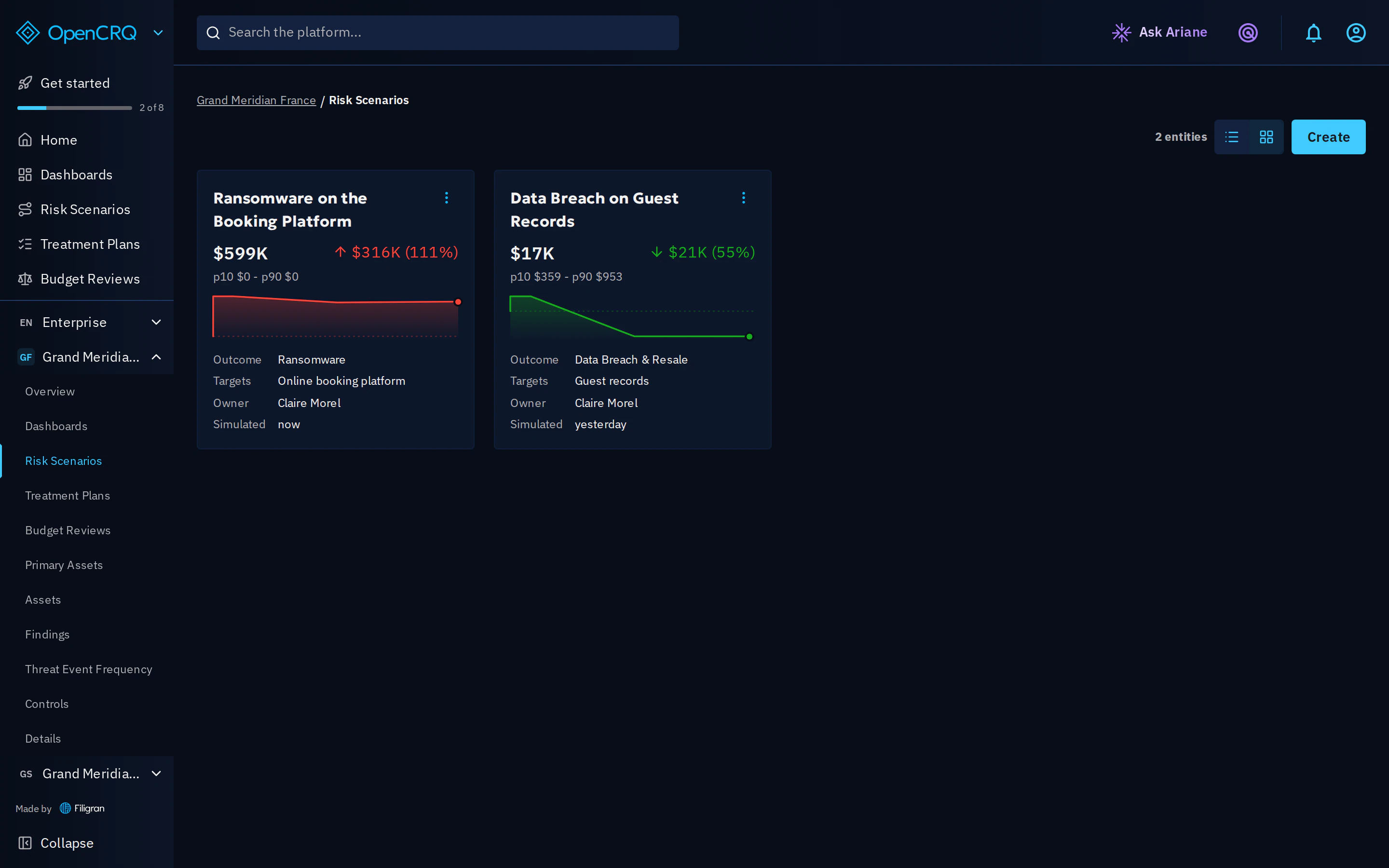
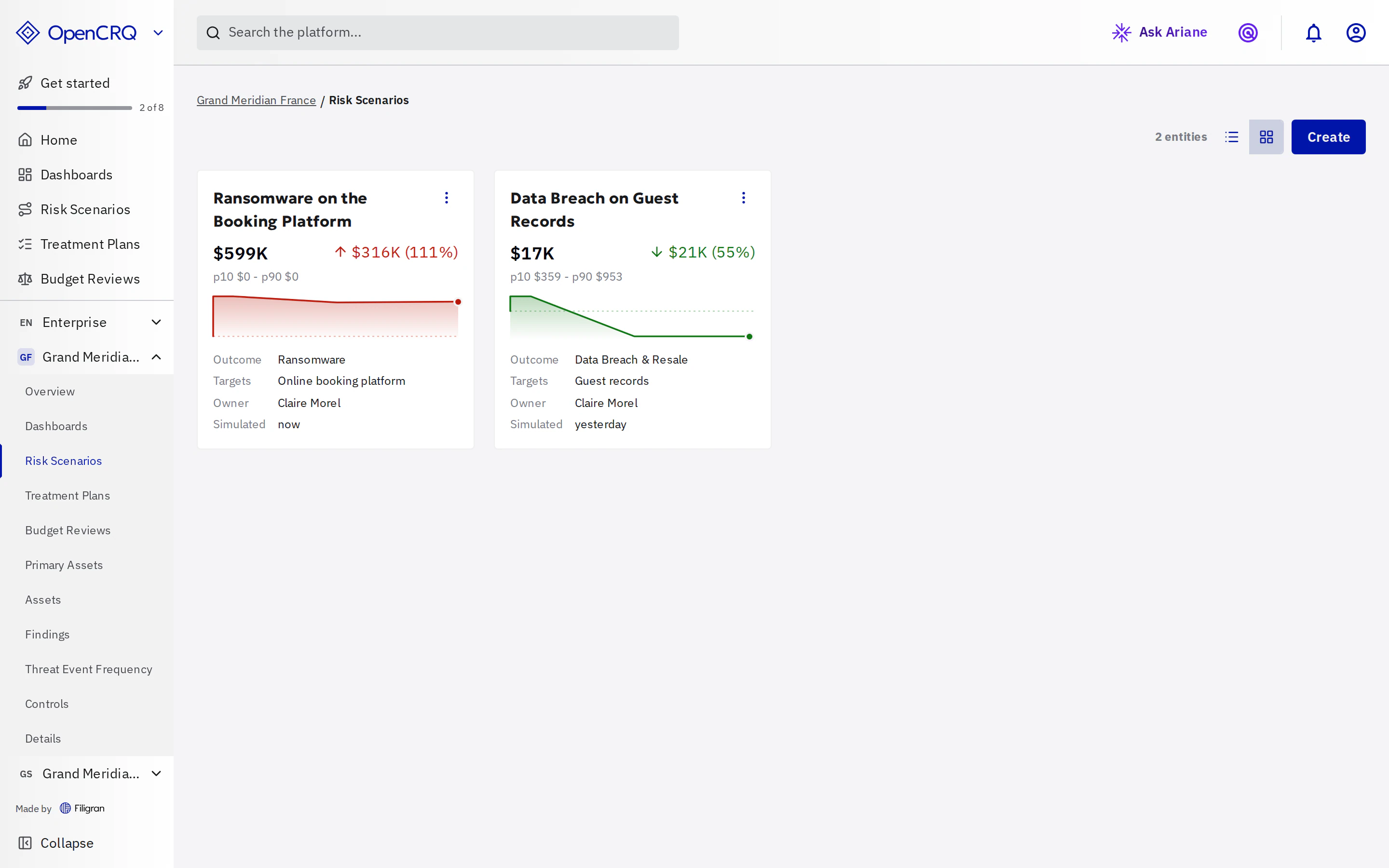
OpenCRQ comes in two editions. The Community Edition, under the Apache 2.0 license, prices risk in one tenant. The Enterprise Edition, which OpenCRQ takes from XTM One's Filigran license, adds several tenants in one platform and the XTM One assistant.
Start here
The first time you open a new tenant, OpenCRQ shows Get started, first in the menu: eight steps, Company, Assets, Threats, Defenses, Finances, Tolerance, Protect and Scenarios, that take you to a first quantified risk scenario in a few minutes. The menu shows how many are done. Once no step reads To do, even with some only started, Get started moves to the end of the menu, after Settings.
Then pick your role: each tab gives your goal and the pages to read first, in order.
You keep the risk register in money: what each scenario costs a year, what it rests on, and why it moved.
- How OpenCRQ quantifies risk: the model behind every figure, from attack frequency to annualized loss.
- Risk scopes, primary assets and supporting assets: describe what a loss would hit, and the systems an attacker goes through.
- How OpenCRQ merges an asset several sources report: which value wins, and when two reports are one asset.
- How OpenCRQ works: its processes, ports, storage and the services it calls.
- Set what an attack costs with the financial profile: answer the questions that give each loss its amount.
- Build and price a risk scenario: create a scenario, read its price and follow it over time.
You decide what to fund, and show the board what the spend buys.
- Track cyber risk in money with dashboards: the annual loss exposure of the organization and its trend, on one screen.
- Choose the treatment plan that removes the most loss: compare plans by the loss they remove for what they cost.
- Review a year's security budget against the loss it avoided: what last year's spend bought, line by line.
Your intelligence and your test results set the price: see what OpenCRQ reads from them.
- Connect OpenCTI with a Live Stream: which threats to stream, and what OpenCRQ keeps of them.
- Follow the threats that target your scopes: how a threat is admitted to a scenario and how its activity counts.
- Import OpenAEV results: how simulations audit your controls, technique by technique.
- Set how strong your controls are and read how they held: the posture the attack runs face.
You give people access and connect OpenCRQ to the sources that feed it. People sign in to OpenCRQ with their XTM One account: OpenCRQ keeps no password.
- Give people access with users, groups and roles: add members from XTM One's directory, and the platform's own administrators.
- Let integrations sign in with service accounts: the accounts connectors and scripts write as.
- Connect OpenCTI with a Live Stream: the first connector to set, since threats drive every price.
- Follow the background jobs and run one again: what OpenCRQ computes on its own, and how to see it is done.
- Check or stop the usage telemetry sent to Filigran: what anonymous counts leave the instance, and how to turn them off.
You deploy the XTM platform, which always runs OpenCRQ with the other modules, and keep OpenCRQ healthy and up to date.
- Install with Docker Compose: the whole XTM platform, OpenCRQ with every other module, behind your reverse proxy.
- Configure OpenCRQ: finish its setup and sign in to its first tenant through XTM One, then the settings a deployment sets and the connectors of each tenant.
- OpenCRQ configuration: every key, its variable and its default.
Find your way around
The menu on the left groups its entries between separators: Home, Dashboards, Risk Scenarios, Treatment Plans and Budget Reviews first; then your risk scopes and All risk scopes; then Assets, Findings and Threats; then Controls and Compliance; last Integrations, shown to those with Manage Security, and Settings. When you reach two tenants or more, the first row of the menu names the tenant you are in: click it to switch. The chevron next to the OpenCRQ logo opens Filigran products, which opens OpenCTI and OpenAEV when they are connected to the tenant, their product pages otherwise, and XTM Hub.
To find a scenario, an asset, a threat, a risk scope or a control by its name, type part of it in Search the platform... at the top of the screen and press Enter. The results list the matches of the tenant by type, each with its count: Risk Scenarios, Primary Assets, Assets, Threats, Risk scopes and Controls. View all opens the full list when a type has more matches than the card shows. Find a scenario, an asset or a threat by its name says what the search matches and how to share it.
How OpenCRQ prices a risk
You describe what you protect and what a loss would cost; the rest of the XTM platform measures who attacks and how well your defenses hold. OpenCRQ prices the attacks against your assets and your controls, and counts what lands, over a thousand worlds by default: each world is a draw of the uncertain inputs. The result is a price that moves for a reason you can trace: a threat becomes active, a control is rolled out, a test shows a defense failing.
- Threats → Attack simulation
- Test results → Attack simulation
- Assets and controls → Attack simulation
- Financial profile → Loss model
- Attack simulation → Annualized loss
- Loss model → Annualized loss
- Annualized loss → Treatment plans
- Annualized loss → Budget reviews
How OpenCRQ quantifies risk explains the model in full: the frequency of attacks, the attack run, the loss drivers, and the distribution a price comes from, its mean and the chance of losing more.
Decide what to fund
A treatment plan is a set of controls you would fund: OpenCRQ prices your scenarios again as if it were done, so each plan shows the loss it removes against what it costs, and its return (choose the treatment plan that removes the most loss). A budget review does the same afterwards, for what was spent (review a year's security budget against the loss it avoided).
Browse OpenCRQ
- How OpenCRQ quantifies risk
- Risk scopes, primary assets and supporting assets
- How OpenCRQ merges an asset several sources report
- How OpenCRQ's objects connect, from a risk scope to its price
- Set your profile and follow your notifications
- Get your first quantified risk scenario in eight steps
- Find a scenario, an asset or a threat by its name
- Connect OpenCTI with a Live Stream
- Set the platform's parameters and file storage
- Set how OpenCRQ weighs threats, controls and assets
- Read the risk catalogues and manage asset tags
- Explore the ATT&CK, CVE and CWE catalogues
- Give people access with users, groups and roles
- Run several tenants in one platform
- Let integrations sign in with service accounts
- Follow the background jobs and run one again